
60BD App Download: Install the Android APK in 2 Minutes
Get the 60BD Android APK installed in about two minutes, plus update steps, fixes for install errors and an option for iPhone users.
Table of Contents
The 60BD app download is a single APK file for Android: tap the download button, allow installs from your browser, open the file and sign in. It takes about two minutes on a normal mobile connection. The app is for adults aged 18+ only.
Two minutes is the whole job if nothing goes wrong. Most of that time is the file transfer, so a stable Wi-Fi or mobile signal matters more than a fast phone. If something does go wrong, the fixes are further down.
60BD – Before you start: requirements box
Check these five things first, because most failed installs trace back to one of them.
- Age: you must be 18 or older.
- Android phone: a recent Android version is safest; the exact minimum varies with the app build, so check the download page.
- Storage: keep some free space for the file and its install. Varies with device.
- Internet: needed for the download, login and every game or bet.
- Mobile number: it must receive an OTP text for registration and login.
Tip: clear a few old screenshots or videos before you begin. Low storage is the classic cause of a stalled install.
What the 60BD app offers
The app puts the platform’s main areas in one place, so you skip the browser and its tabs. 60BD is a site about the brand, not the operator, so treat this as a summary of what the app presents.
- ✔️ Account tools: register, log in and manage your profile.
- ✔️ Games: slots, casino tables and crash titles such as Aviator.
- ✔️ Sports betting, including cricket markets.
- ✔️ Promotions you can read before you accept.
- ✔️ Deposit and withdrawal screens.
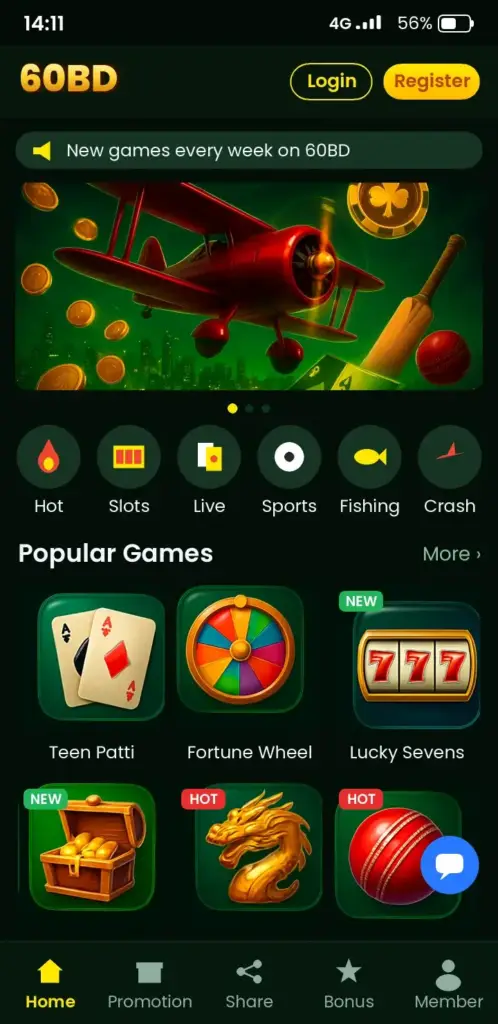
Want the detail on each area? Our pages on 60BD cover slots, betting, bonuses and Aviator separately, so you can read only what you need.
Step-by-step 60BD App Download and APK install on Android
Android blocks files from outside the Play Store by default, which is why the install has a few extra taps. Follow them in order.
- Open the download link on this site from your phone’s browser.
- Tap the download button and accept the file warning. APK files always trigger it.
- When Android asks, open Settings and switch on Install unknown apps for that browser only.
- Go back, open the downloaded APK from your notification bar or the Downloads folder.
- Tap Install and wait for the confirmation.
- Open the app and grant only the permissions it needs, such as notifications.
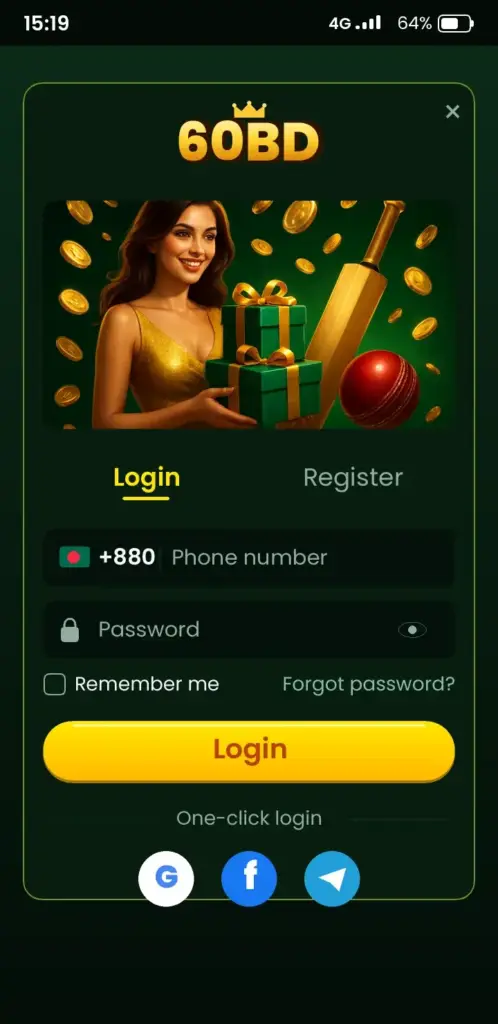
- Log in or register with your mobile number and the OTP that arrives within a minute.
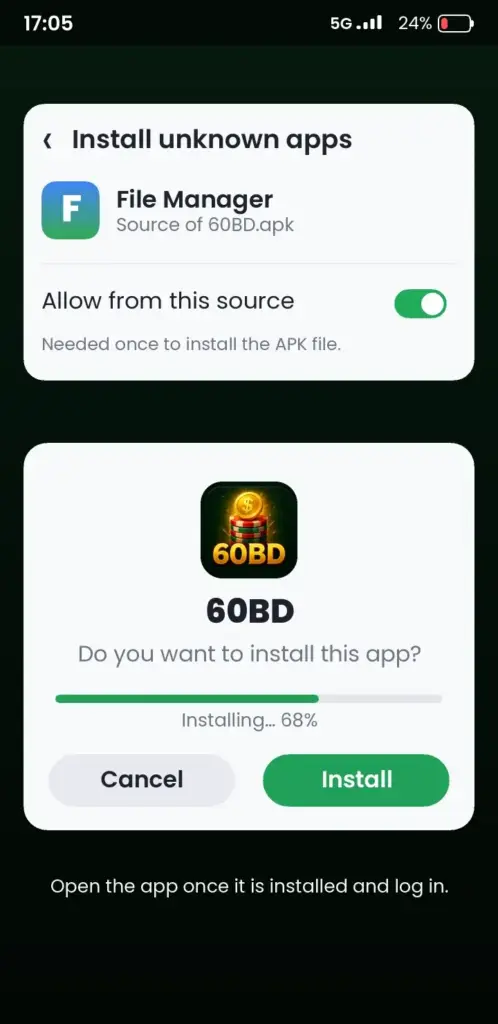
Tip: after the install, switch the unknown-apps permission back off. It is one tap and it closes a door you no longer need.
Sign-in after installing
If you already have an account, use the same number. New here? Registration needs your number, a password and the OTP. Problems with the code are covered on the 60BD login page and in the FAQ section below.
Keeping the app up to date
Updates matter because sideloaded apps do not update themselves through the Play Store. A stale build can lag behind on fixes and screens.
- Open the app and look for an update prompt or a notice in the menu.
- If there is none, return to the download page on this site and compare the latest version listed with yours.
- Download the new APK and install it over the old one. Your account stays, because it lives on the server, not the file.
Skip uninstalling first unless the update fails. Installing over the top keeps your settings.
Fixing install problems
Install errors look scary but have short fixes. Match your message to the table.
| What you see | Likely cause | Fix |
|---|---|---|
| App not installed | Old version conflicts or low storage | Free space, then uninstall the old copy and retry |
| Parse error | Broken or partial download | Delete the file and download again on stable Wi-Fi |
| Install blocked | Unknown apps not allowed | Enable it for your browser in Settings |
| Play Protect warning | Scan flags files from outside the store | Read the prompt; continue only if you used this site’s link |
| OTP never arrives | Network delay or wrong number | Wait a minute, check the number, request once more |
Still stuck? Restart the phone, then try again. That solves more than you would expect.
Is it safe to sideload the APK?
Sideloading is safe only when the file comes from a source you trust. Use the link on this site, never a forwarded file or a random mirror in a chat group, because a tampered APK can steal logins.
- Check the permissions the app asks for. A betting app has no reason to read your contacts.
- Keep Play Protect switched on.
- Use a strong, unique password.
- Never share your OTP with anyone, including people claiming to be support.
Gambling carries financial risk, and it is not for everyone. If it stops being fun, free and confidential help is available from Gambling Therapy.
iPhone and mobile-site option
An APK is an Android format, so it will not install on an iPhone. If you use iOS, open the platform in Safari instead and add it to your Home Screen for an app-like shortcut. Confirm inside the platform whether a dedicated iOS app exists rather than assuming it does.
The mobile site also suits Android users who prefer not to install anything. It needs a bit more data per visit, but there is no file to update.
App or mobile site: quick comparison
| Point | Android APK | Mobile site |
|---|---|---|
| Install | Needed | None |
| Works on iPhone | No | Yes |
| Updates | Manual | Automatic |
| Storage | Uses space | Almost none |
| Home-screen shortcut | Built in | Add it yourself |
What to do after installing
Once you are in, spend five minutes on settings before you play. Set a deposit limit if the app offers one, turn on notifications only for account alerts, and read any bonus terms before you accept an offer, since wagering rules differ. Our pages on bonuses, slots and Aviator explain each area in plain words.
Storage, battery and data: keeping the app light
A betting or games app that stutters is usually fighting for memory, not a bug in the app itself. Before you blame the file, check how much free space the phone has and how many apps run in the background.
These habits help most on budget Android phones, which are common among Bangladeshi users:
- Free up space: keep a few hundred MB spare after installation, since the app stores cache and updates.
- Close background apps: video and social apps use RAM that live games need.
- Use Wi-Fi for updates: mobile data is fine for play, but large updates download faster and cheaper over Wi-Fi.
- Clear the cache, not the data: in Settings > Apps, clearing cache fixes many slow screens without logging you out.
- Turn off battery saver while playing: aggressive power modes can freeze the app or delay OTP messages.
If the app still lags after this, restart the phone once and reopen it. Persistent crashes on one specific game are worth reporting to support with your phone model and Android version.
Payment checks before your first deposit
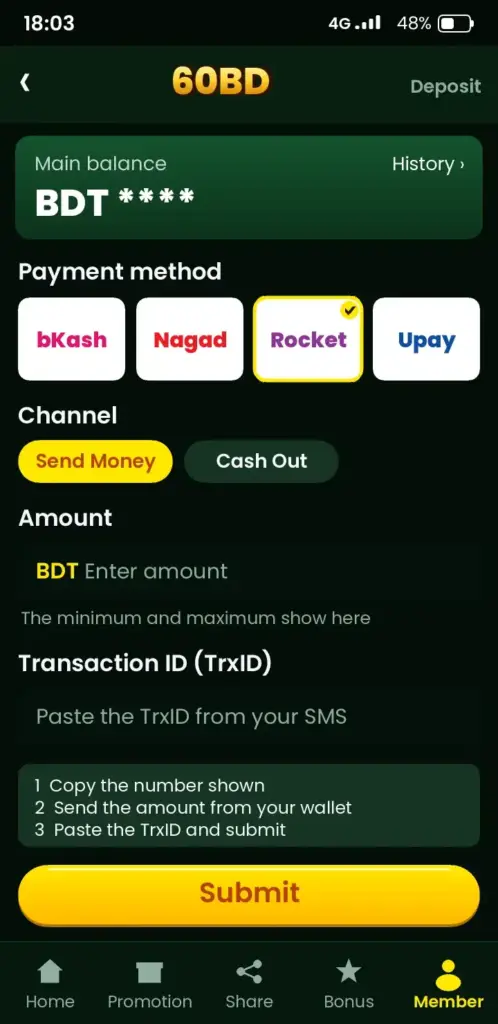
Most deposit problems come from small mistakes made before the money is sent. Spend a minute on the checklist below and you avoid the usual support tickets.
- Confirm the mobile wallet number you use is registered in your own name and has enough balance, including any fee.
- Open the deposit screen in the app and read the current minimum and maximum; these can change, so do not rely on old figures.
- Copy the wallet number or reference exactly as shown, without extra spaces.
- Complete the payment inside the wallet app and keep the transaction ID.
- Wait for the balance to update, then refresh the wallet page once before contacting anyone.
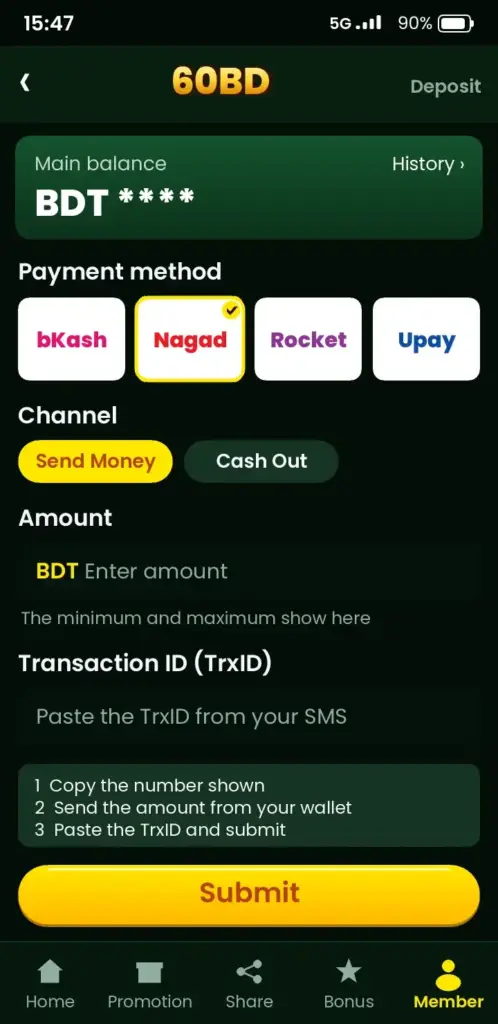
For withdrawals, expect identity verification (KYC) at some point, so use the same name and number across your account and payment method. Processing times vary by method and by how busy the platform is, so check the app for the current estimate instead of assuming one.
If a payment is taken but not credited, send support the transaction ID, amount, time and a screenshot. That gives them what they need to trace it quickly.
Ready to go? Use the download link on this site, follow the seven steps above, and keep the unknown-apps switch off once you finish.
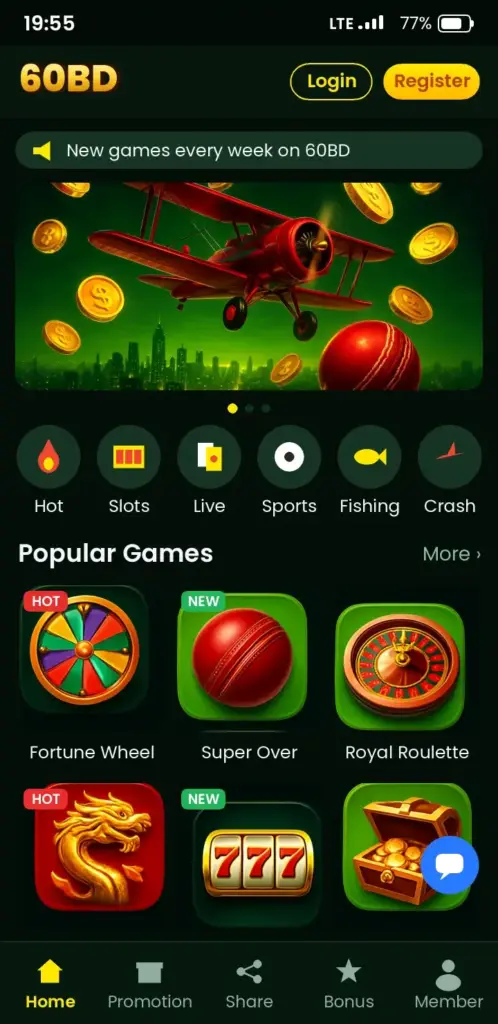
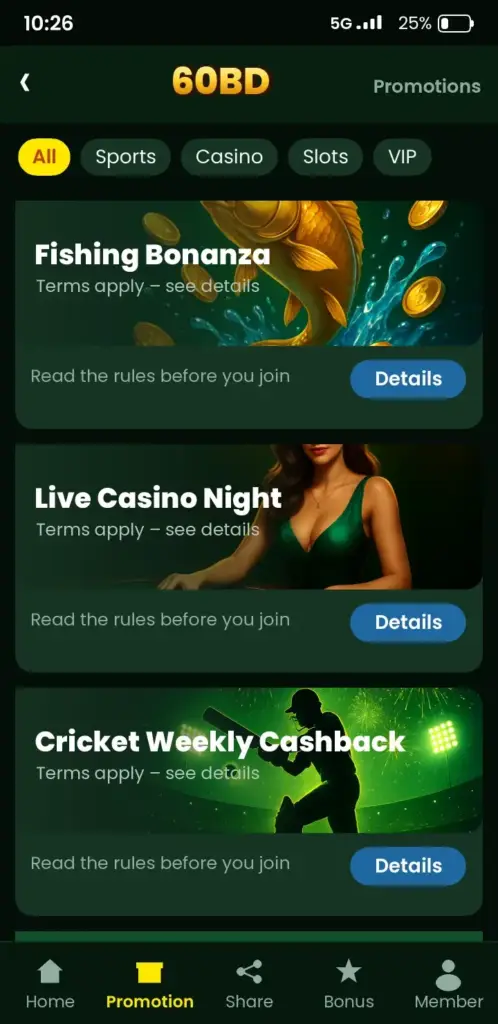
60BD App Screenshots: Game Lobby, Login, Deposit & Bonuses
See how the 60BD app looks on an Android phone before you download it – tap any screen to open the app.
Frequently Asked Questions
How do I complete the 60BD app download on Android?
Open the download link on this site in your phone's browser, tap download and accept the APK warning. Then allow installs from that browser in Settings, open the file and tap Install. The whole process takes about two minutes on a stable connection.
Is the 60BD APK safe to install?
It is safe when you download it from the link on this site and avoid forwarded files or unknown mirrors. Keep Play Protect on, check the permissions it requests, and never share your OTP. Gambling carries financial risk, and the app is for adults 18+ only.
Can I get the 60BD app on iPhone (iOS)?
An APK only works on Android, so it will not install on an iPhone. iPhone users can open the platform in Safari and add it to the Home Screen. Check inside the platform whether a dedicated iOS app is offered.
Why does 60BD APK say App not installed?
This message points to low storage or a conflict with an older copy. Free up space, uninstall the previous version, then install again. If it still fails, delete the file and download it afresh on stable Wi-Fi, since a partial download causes parse errors.
How do I update the 60BD app?
Open the app and look for an update prompt, or compare your version with the latest one on the download page of this site. Download the new APK and install it over the old one. Your account stays because it is stored on the server.
What are the 60BD app requirements for Android?
You need an Android phone running a recent version, some free storage and an internet connection. The exact minimum varies with the app build, so check the download page. You also need a mobile number that can receive an OTP text.
How do I register on the 60BD app?
Open the app, tap Register, then enter your mobile number, create a password and type the OTP sent by text. You must be 18 or older. If the code is slow, wait a minute and check the number before requesting it again.
60BD OTP asche na, ki korbo?
Prothome ek minute opekkha korun, tarpor mobile number thik ache kina dekhun. Network signal bhalo rakhun ebong ekbar notun code chan. Bar bar request korben na. Ta-o na ele phone restart kore abar chesta korun, ba site-er contact email-e janan.
Can I use the 60BD mobile site instead of the app?
Yes, the mobile site works in any browser with no install, which suits iPhone users and phones short on storage. It updates automatically. The app, by contrast, gives a built-in shortcut but needs manual updates and some free space.
How do I fix the Play Protect warning during the 60BD APK install?
Play Protect flags any file from outside the Play Store, so the warning is expected. Read the prompt and continue only if you used the link on this site. Keep Play Protect switched on afterwards, and turn the unknown-apps permission off again.